Phone Call
- 4.2
- Rating
- 5.00M
- Installs
- Free
- Price

 Analysis by App-foxy
I approached Phone Call as a practical phone utility rather than something flashy. It is an Android app from Call Log Manager, built around caller identification, call blocking, and tools intended to make everyday call handling less annoying. That sounds simple, but the value depends heavily on how well it fits your existing phone settings. In my experience, the first few minutes matter more here than they do with many casual apps: if the app is not allowed to work alongside the phone’s call system, its most useful functions can feel incomplete.
The app is free, aimed at everyone, and supports devices running Android 7.0 or later. Its current version is 1.19, and it has built a sizeable audience, with over five million installs and an average score of 4.2 from around twenty-two thousand ratings. Those figures suggest that Phone Call is not an obscure experiment, but they should not be mistaken for a guarantee that it will behave identically on every handset. Phone manufacturers often change how caller ID, default dialers, background activity, and blocked numbers work.
Where Phone Call users are most likely to get stuck
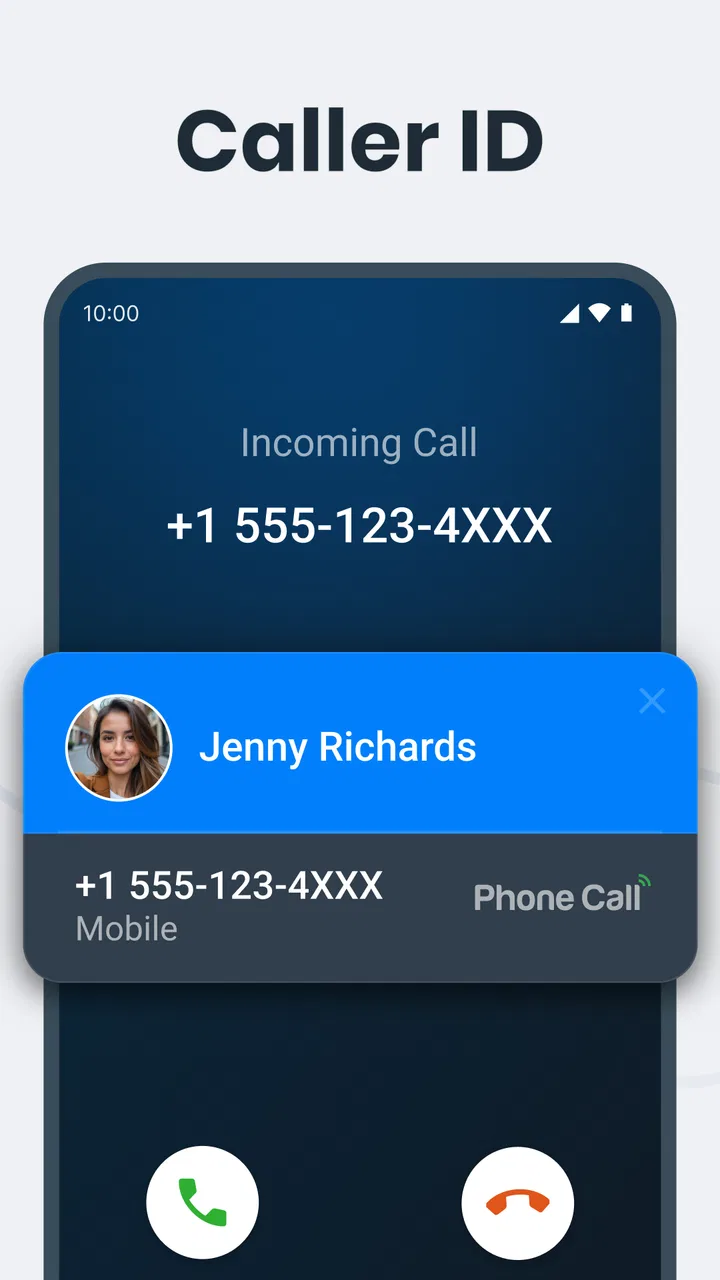
The most common point of friction is understanding what the app can control directly and what remains controlled by Android or the phone manufacturer. A caller ID tool may need to interact with incoming-call screens, while blocking depends on the system’s call-handling rules. If those parts are not connected properly, you might still see unwanted calls, or you might expect an identification result that does not appear quickly enough to help.
You May Also Like

 AccuWeather: Weather Radar
AccuWeather Review: A Quick, Clear Forecast for Everyday Decisions
For everyday plans, the best forecast is the one you can understand quickly. AccuWeather makes rain timing, radar, and local conditions easy to act on, with a few trade-offs.

 Hill Climb Racing
Why Hill Climb Racing Still Turns Crashes Into One More Run
A tiny car, a bumpy hill and one more upgrade: Hill Climb Racing keeps resurfacing because its simple chaos makes every near-miss feel personal.

 AliExpress - Shopping App
AliExpress Makes Global Shopping Feel Personal, but Shoppers Bear the Risk
AliExpress turns a global marketplace into a pocket-sized discovery engine. Its reach is useful, its shopping loop compelling, and its trade-offs easy to miss.

 Lords Mobile: Kingdom Wars
Lords Mobile Is a Kingdom-Building Routine, Not a Quick Match
A case-by-case verdict on the building, battles, device demands, and social commitments that make Lords Mobile rewarding for some players and exhausting for others.

 PDF Scanner app - TapScanner
TapScanner Makes Paperwork Easier to Capture, Check, and Share
TapScanner makes scanning with a phone feel less like a rescue operation and more like a dependable step in getting work done. Its capture tools are useful, though not flawless.

 Block Blast!
Block Blast! Shows How Much a Puzzle Game Can Leave Out
A quiet grid game shows why puzzle players increasingly value instant clarity, repeatable skill and low-pressure play—and where the genre still needs to catch up.
More From Our News Desk
View All News


I would not begin by judging the app after receiving one unidentified call. Caller identification is useful only when the relevant information is available and the app has enough opportunity to display it. Unknown numbers, private callers, newly used numbers, and calls received when the phone is restricting background activity can all produce a less satisfying result. That is not necessarily a failure of the blocking or identification idea itself.
Another easy mistake is treating call blocking as a single universal switch. Blocking a number you have selected is different from filtering a broad group of unwanted calls, and both can be affected by the phone’s own dialer. Before turning on several protections at once, I prefer testing one known unwanted number or a safe contact. That makes it easier to tell whether Phone Call is working, whether the system dialer is taking priority, or whether the number is being presented in a different format.
The app can also seem confusing if you expect it to replace every part of the phone experience. Phone Call belongs in the tools category, but it does not turn the handset into a completely separate communication platform. Your normal calling screen, contact list, carrier service, and device settings still matter. I found it more useful when I treated it as a layer for managing calls, not as a replacement for the underlying phone service.
What I would check before blaming the app
First, I would confirm that the device is running a supported version of Android. The minimum requirement is Android 7.0, so older phones are not a good match. On a supported phone, I would then open the app and carefully review the available call-related settings instead of tapping through them quickly. The goal is to know which function is active: identification, blocking, or both.
Next, I would look at the phone’s own default-app and call settings. Android can assign a preferred dialer, and some manufacturers add another layer of call protection. If two tools are trying to manage the same event, the result may be inconsistent. A caller may be identified in one interface while blocking is handled somewhere else. Choosing one clear primary workflow is usually less frustrating than enabling every available option.
Battery controls deserve attention too. Some Android phones place strict limits on applications that work in the background. If Phone Call is repeatedly closed or prevented from responding when a call arrives, checking the device’s battery-management settings is a sensible troubleshooting step. I would make changes conservatively, though. Giving every app unrestricted background activity can affect battery life, so I would adjust only what is needed and then test the result.
The same principle applies to notifications. If caller information or a blocked-call indication is expected to appear as a notification, the phone may be suppressing it through notification categories, silent modes, or a general do-not-disturb schedule. I would check those settings before reinstalling the app. Reinstallation is often suggested too early and does not fix a system-level restriction.
It is also worth checking whether the number is saved in contacts. A caller saved under a familiar name may not demonstrate the identification feature in the same way as an unknown number. For a clean test, I would use a number that is not already stored and compare what the phone shows before changing multiple settings. A controlled test is especially helpful if the device has a manufacturer-specific dialer.
A setup routine that avoids unnecessary confusion
My preferred setup is gradual. I would install Phone Call, open it, and start with caller identification before experimenting with more aggressive blocking. That gives me a baseline for how the app interacts with incoming calls. Once that part behaves as expected, I would add a single blocking rule and test it. This approach makes it much easier to reverse a setting if a legitimate call is affected.
For people who receive calls from delivery drivers, schools, clinics, or temporary work contacts, broad blocking deserves caution. Unknown does not always mean unwanted. I would use targeted blocking whenever possible and keep a mental list of numbers that should never be filtered. If a family member changes numbers often, a blanket rule could create more inconvenience than it solves.
One useful habit is to review the phone’s recent-call list after setup. If a call appears there but was not handled as expected, that record can help distinguish an identification issue from a blocking issue. It also shows whether the phone itself registered the event. This is more informative than relying only on whether an on-screen prompt appeared.
I would also avoid changing the default dialer, battery settings, notification rules, and blocking preferences all at once. That creates too many variables. Make one change, place or receive a safe test call, and then decide whether another adjustment is necessary. This is slower than tapping every permission immediately, but it produces a much clearer result.
The best setup is not the most aggressive setup; it is the one you can understand and undo. That matters with call-management tools because an incorrectly blocked legitimate call is more serious than a missed piece of caller information. Phone Call is more approachable when its features are introduced one at a time.
Recovering a workflow when a call is missed or mishandled
When the app does not behave as expected, I would begin with the exact symptom. “Caller ID did not appear,” “a blocked number still rang,” and “a legitimate call disappeared” are different problems. Treating them all as a general app failure usually leads to unnecessary resets.
If identification did not appear, I would check whether the incoming number was private, unfamiliar, or simply not recognized. I would then inspect notification and background restrictions before removing the app. If blocking did not work, I would check whether the rule was aimed at the correct number and whether another dialer or phone-security feature was handling the call first.
If a legitimate call was blocked, I would immediately review the blocking rule and remove or narrow it. I would also check the recent-call history and saved contacts. This is where targeted rules are safer than broad filters. A person who depends on calls from changing numbers should probably use Phone Call mainly for recognition and selective blocking rather than trying to silence every unknown caller.
Restarting the phone can help after changing call-related system settings, especially if the device has not refreshed its default-app or background behavior. I would do that before repeatedly toggling the same setting. If the problem remains, I would return to the simplest configuration: one active call-management tool, normal notifications, and a single test rule.
Another practical recovery method is to document what happened. Note whether the phone was locked, whether the call came from a saved contact, whether the device was in silent or do-not-disturb mode, and whether the call appeared in the recent-call list. These details can reveal a pattern. For instance, a problem limited to locked-screen calls points toward display or notification behavior, while a problem affecting only certain numbers points toward matching or blocking rules.
I would be cautious about clearing all app data as a first response. That can remove useful configuration and make it harder to remember what worked. Resetting is reasonable when the setup has become tangled, but it should be the final step after simpler checks. The same goes for uninstalling and reinstalling: it may refresh the app, but it cannot correct a carrier issue, a phone-wide do-not-disturb schedule, or a manufacturer’s call-screening behavior.
When Phone Call is not the cause
Some call problems happen before any app can help. Weak mobile coverage, a carrier outage, a full voicemail system, or a phone that is already forwarding calls can change what you experience. If calls fail from several contacts and the app’s behavior is unchanged, I would test the phone’s basic calling service first.
Do-not-disturb and focus modes are another frequent source of confusion. They can silence calls or change the way alerts appear, making it look as though a caller-management tool has blocked someone. The same is true of the phone’s built-in spam protection. If both the device and Phone Call are filtering calls, you need to identify which one acted before drawing a conclusion.
Contacts can complicate testing as well. A number may be stored with a country prefix, spaces, or an alternate format, while an incoming call may be presented differently. A rule that appears correct at a glance may not match the actual number format the phone is passing to the system. I would compare the displayed number carefully before assuming the block is broken.
Privacy expectations also deserve a realistic explanation. Caller identification is helpful, but it should not be treated as perfect knowledge about every unknown caller. If you receive sensitive business calls or depend on exact caller verification, I would use the app as a convenience and still confirm important callers through another trusted method. For people who want a tightly controlled, enterprise-style call-screening system, a carrier service or a device’s integrated phone protection may be a better fit.
Who will get the most from this free tool?
Phone Call makes the most sense for someone who wants a straightforward way to manage nuisance calls without paying for a separate service. It is particularly practical for people who regularly receive unfamiliar numbers and want more context before answering, or for anyone who keeps encountering repeat callers they would rather block.
It can also suit a family member who needs a simpler call routine, provided another person helps with the initial settings. The age rating is Everyone, and the free price removes the financial barrier to trying it. Still, simplicity for the user depends on a careful setup. A confusing blocking rule can be worse for a less technical person than having no extra tool at all.
I would skip it if you already rely comfortably on your phone manufacturer’s built-in caller ID and spam controls. Adding another layer may not improve anything and could make it less obvious which setting is responsible for a blocked or silenced call. I would also look elsewhere if you need detailed call analytics, a highly specialized business workflow, or guaranteed handling of every unknown number. Phone Call is focused and useful, but it is not a full communications-management suite.
Compared with the usual alternative of using only the stock dialer, Phone Call offers a more deliberate place to manage caller identification and blocking. The stock option can be better integrated with the handset, while Phone Call may be preferable if you want those functions presented as a distinct utility. Compared with premium call-screening services, the free approach is attractive, but you should expect to spend more time checking compatibility and tuning the setup yourself.
My practical verdict after using it
I see Phone Call as a useful Android tool for people who want more control over incoming calls but do not need an elaborate call-center system. The developer, Call Log Manager, has kept the idea focused around the problems most people actually recognize: deciding whether to answer, stopping repeat nuisances, and making the call list easier to manage.
The app’s strongest quality is its practical purpose. It does not need to be entertaining to earn a place on a phone; it needs to behave predictably when a call arrives. That is also where its main weakness appears. Results depend on Android version, the manufacturer’s dialer, battery restrictions, notification behavior, and any other call-filtering feature already active on the device.
My advice is to try it with a measured setup. Begin with caller identification, test it using a safe unknown number, then add selective blocking rather than a sweeping rule. If something goes wrong, diagnose the symptom and check the phone’s own call settings before assuming the app is responsible. That workflow prevents most of the avoidable frustration.
With a 4.2 average and a user base of more than five million installs, Phone Call is clearly popular enough to deserve consideration, but popularity should not replace compatibility testing. I would recommend it to Android users who want a free, focused call-management layer and are willing to spend a few minutes aligning it with their phone. I would not recommend it automatically to someone whose built-in dialer already handles these tasks well.
Overall, I would keep Phone Call in the “worth trying, configure carefully” category. It can make unwanted calls less disruptive and unknown callers easier to assess, especially when used with targeted rules. Just remember that the app is one part of the call chain. When the setup is deliberate and the expectations are realistic, it is a sensible tool rather than a source of unnecessary complexity.
FAQs for Phone Call
01What is Phone Call, and what can I use it for?
Phone Call is a communication app designed to help users place and manage voice calls from their mobile devices. Depending on the version and supported features, it may provide access to a dial pad, contact management, call history, favorites, and related calling tools. Before downloading, check its store description to confirm whether it works with your regular mobile service, internet calling, or both.
02Does Phone Call require an internet connection to make calls?
The connection requirements depend on how Phone Call handles calls on your device. If it acts as a standard phone dialer, calls may use your carrier’s cellular network and normal plan charges. If it includes internet-based calling, a Wi-Fi or mobile data connection may be necessary. Review the app’s permissions, pricing information, and carrier compatibility before relying on it for important calls.
03Is Phone Call free to download and use?
Phone Call may be free to install, but that does not always mean every calling feature is free. Costs can come from your mobile operator, international calling rates, subscriptions, premium tools, advertisements, or in-app purchases. We recommend checking the current Google Play or App Store listing carefully, including the developer’s pricing details, before making calls or entering payment information.
04What permissions does Phone Call request, and are they safe?
A calling application may request access to your microphone, contacts, phone status, call history, and notifications so it can provide its main functions. These permissions can be reasonable for a dialer, but you should still compare them with the app’s purpose. Install the official version, review the privacy policy, and deny permissions that are not necessary for the features you intend to use.
05Will Phone Call replace my default phone app or affect my existing contacts?
Phone Call may work alongside your current dialer, or it may ask to become the default phone application, depending on your device and operating system. Changing the default app can affect how calls are started, answered, or displayed. Your contacts are usually stored in the phone or account rather than inside the app, but creating a backup and checking settings first is a sensible precaution.
Pros
- Simple interface makes placing and answering calls straightforward.
- Supports reliable voice communication over mobile networks.
- Recent calls are easy to find and redial quickly.
- Contacts can be accessed directly while starting a call.
- Useful speakerphone option for hands-free conversations.
Cons
- Call quality depends heavily on network coverage and signal strength.
- Mobile carrier charges may apply
- especially for international calls.
- Spam and unwanted calls can still reach your device.
- Some features vary depending on the phone model and Android version.
- Background calling may consume battery during long conversations.

Phone Call
Gallery